Law-firm OA · Data-science agent · Interactive demo
Ask your firm's data anything — and only see what you're allowed to.
LawX is an office system for small and mid-size law firms: cases, clients, billing, time and a law library,
with standard business reports and an AI assistant that analyses the firm's database, builds reports with charts
and answers legal questions. Every query runs as the person asking: a lawyer sees their own matters,
a partner their team, management the whole firm — enforced in the database itself.
Explore every page on fictional data as admin, partner or lawyer.
The AI assistant asks for an access key — it then runs in your browser against the demo database with the same permission rules; switch roles and watch the answers change.
5
data scopes, own → firm-wide
4
standard reports
4
safety layers on AI-written SQL
2
editions: cloud & on-premise
The problem
Small firms run on spreadsheets and chat groups. Partners can't see the business; generic AI can't be trusted with client data.
📂
Scattered records
Matters, fee agreements, invoices and time live in different files; nobody knows collection rates or which client channels pay off.
🔐
Strict confidentiality
A lawyer may only see their own clients; partners their team; salaries only HR and the person. Any tool must respect that — including AI.
🤖
AI without guardrails
Pasting firm data into a chatbot leaks it and returns unverifiable numbers. Firms need answers grounded in their own database, with an audit trail.
The product
One web app, Chinese and English, for lawyers, partners and administrators.
Office core
Cases with teams and events, clients with acquisition channel, fee agreements (fixed, hourly, contingency, mixed), invoices, payments, time entries, law library.
Standard reports
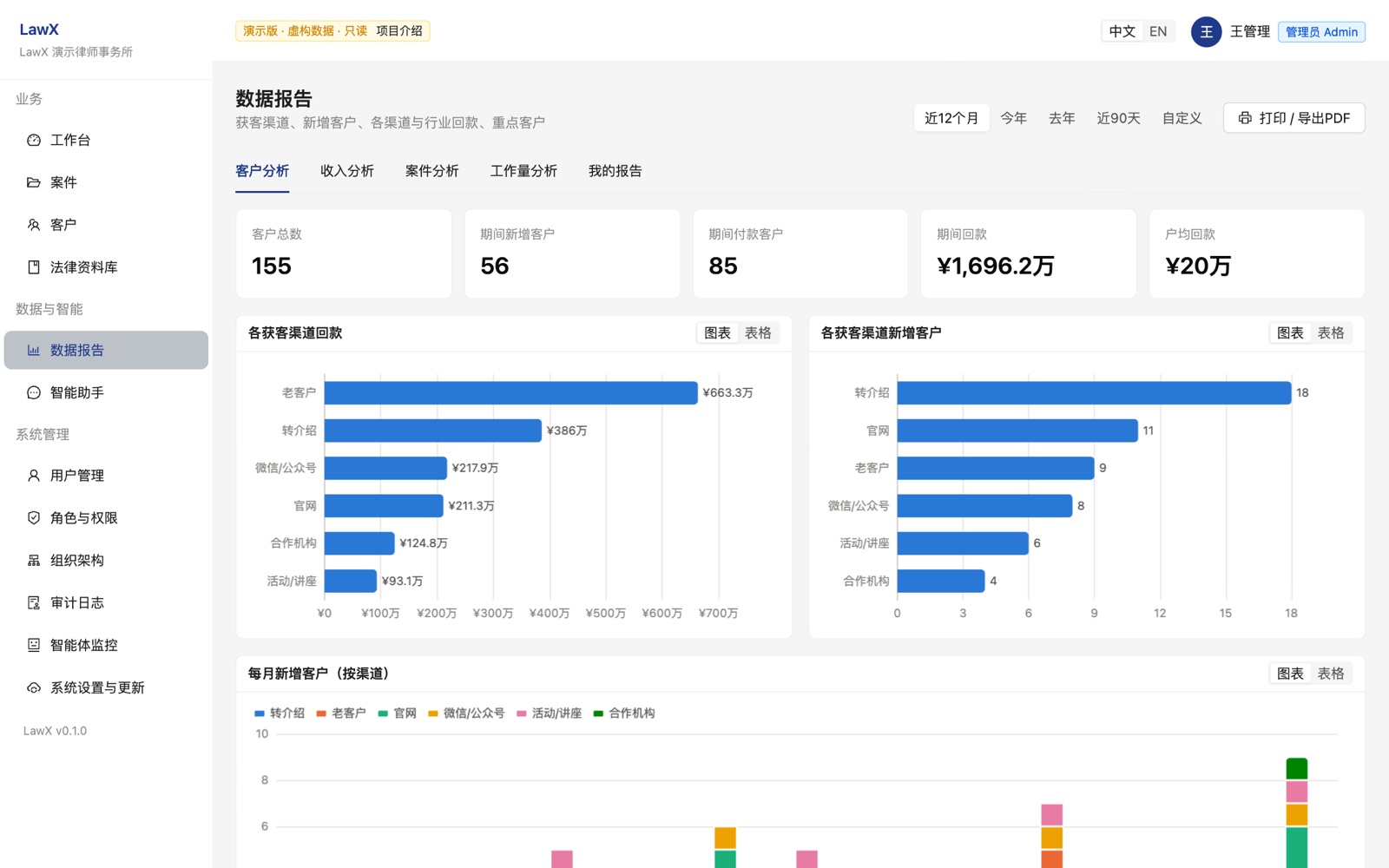
Client analysis, revenue & receivables aging, case pipeline & outcomes, workload — any period, scoped to the viewer, printable to PDF.
AI assistant
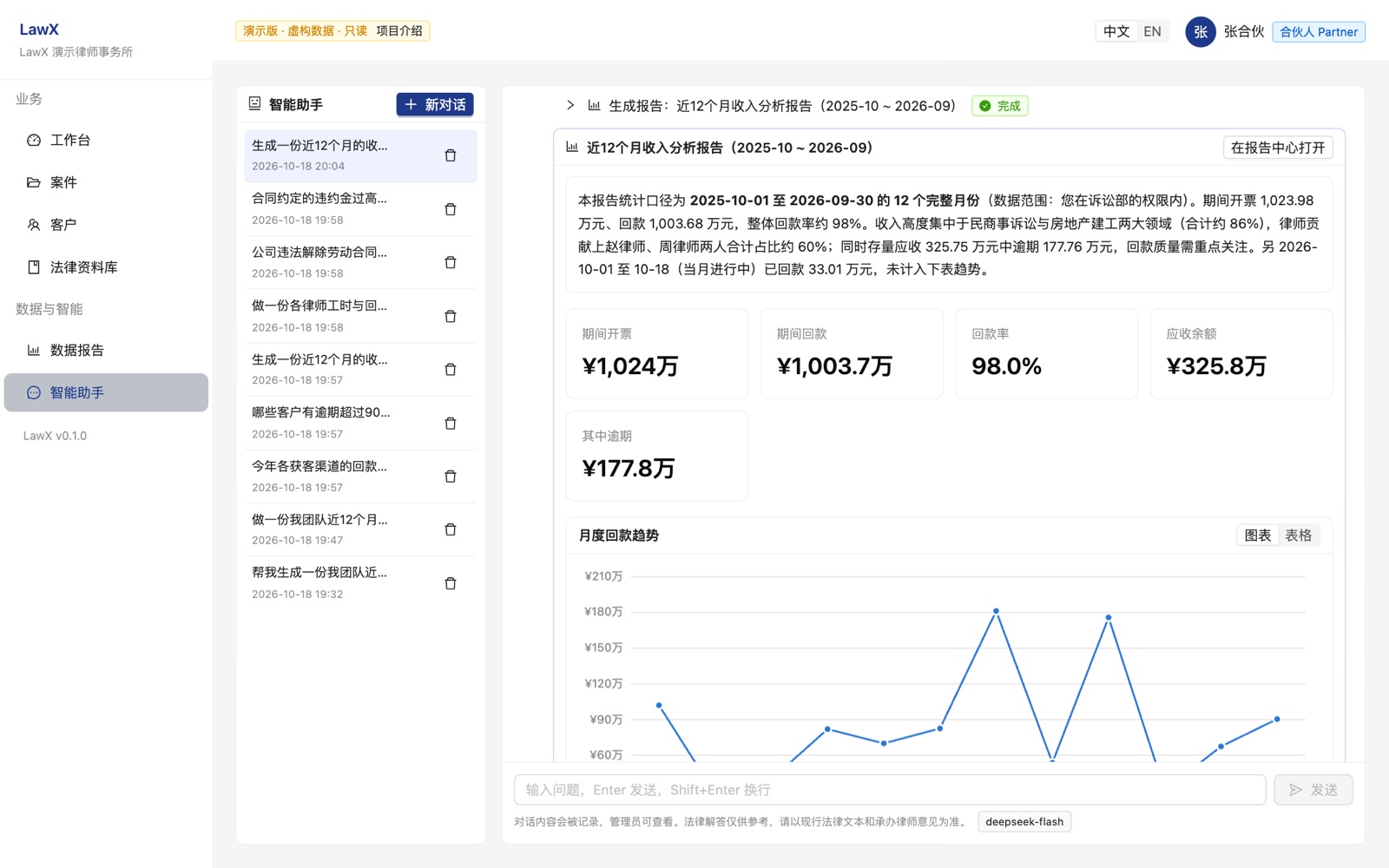
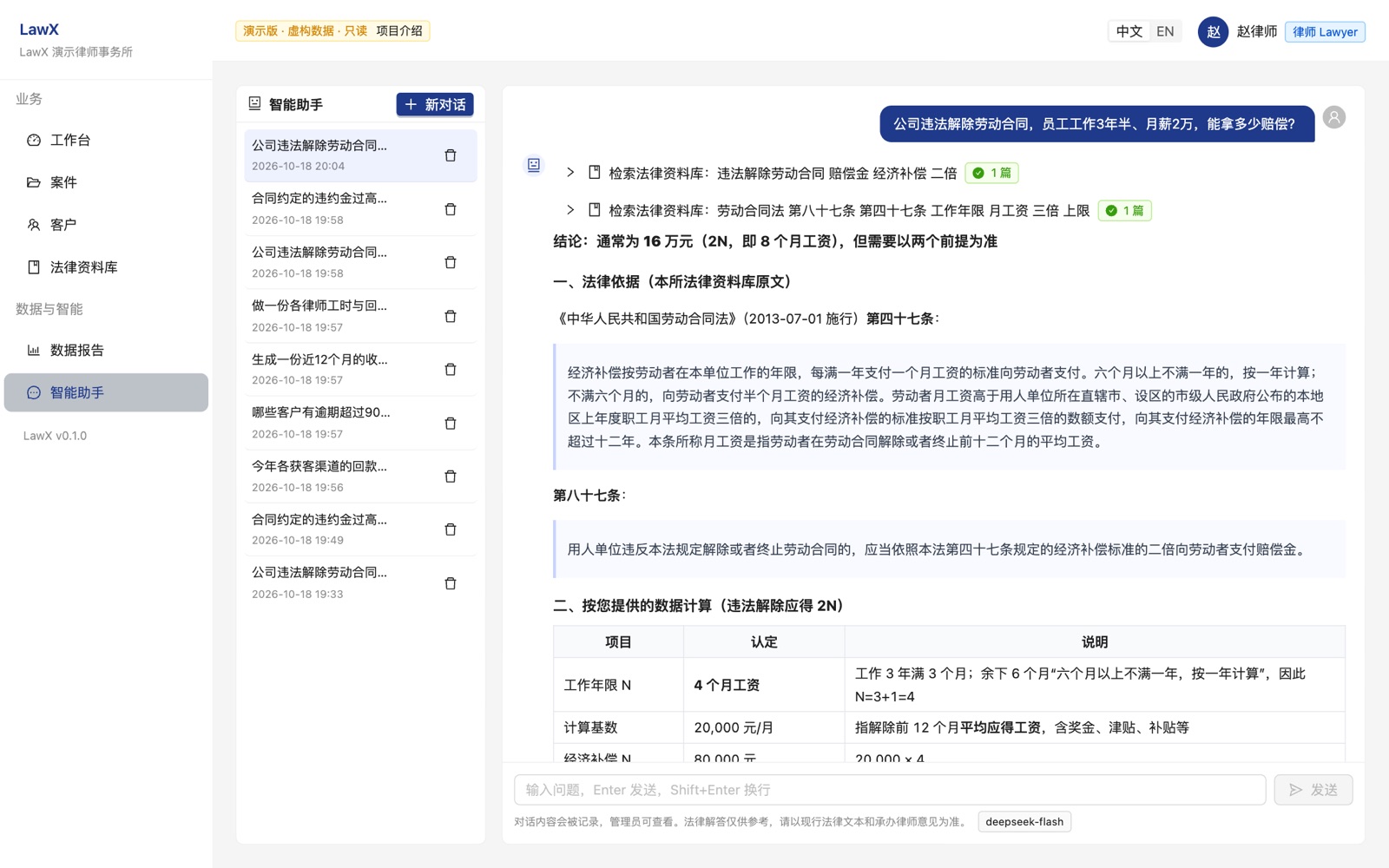
Ask in plain language; it queries the database, builds custom reports with charts, or answers legal questions citing the firm's library.
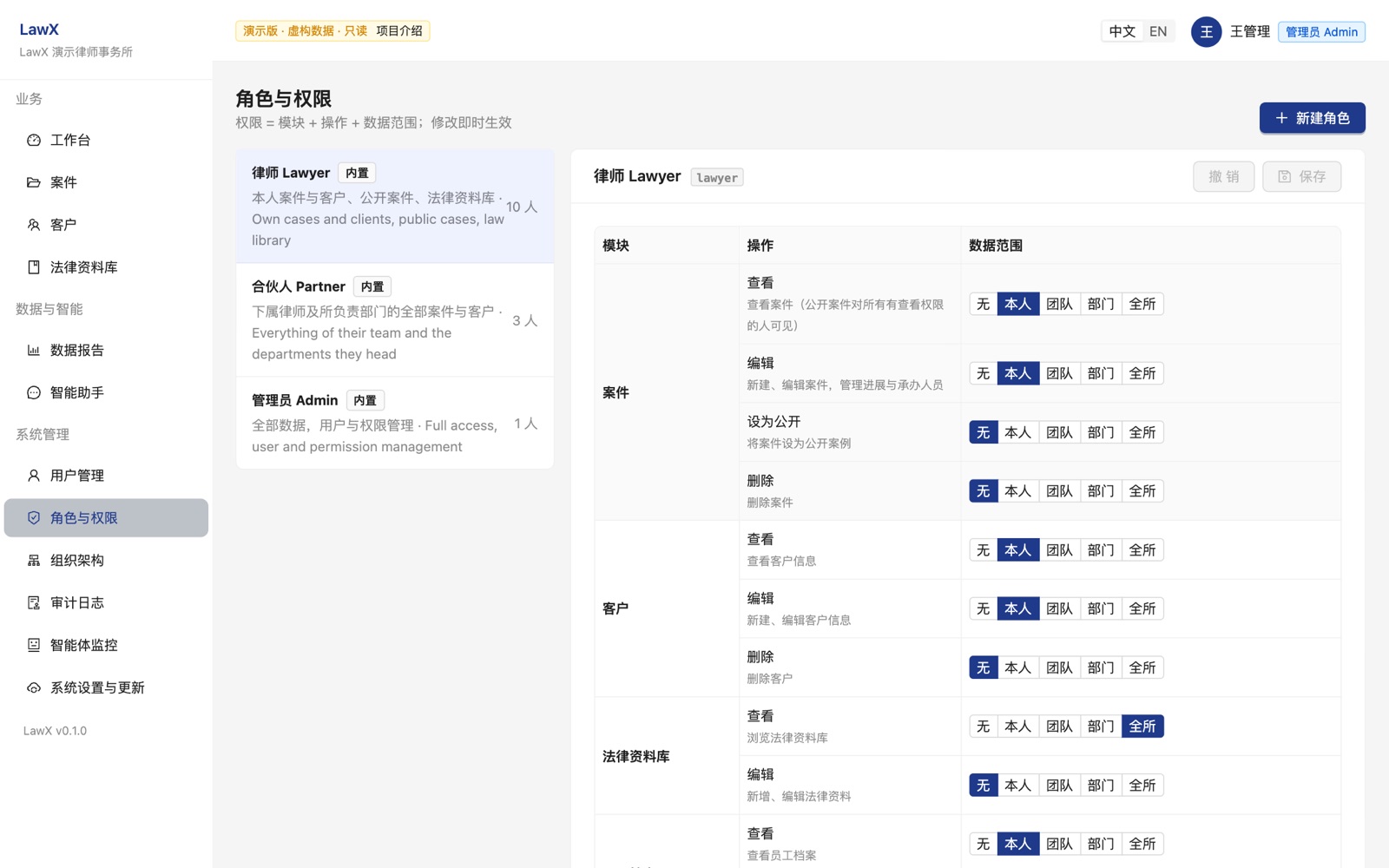
Client analysis: revenue and new clients by acquisition channel, monthly intake, top clients.A partner asks for a team revenue report; the assistant runs the queries and returns a saved report with charts.Legal Q&A: cites the firm's law library verbatim and flags general knowledge to verify.Administrators define roles as a permission matrix; changes apply immediately.
Access control that the AI can't bypass
A permission is resource + action + scope. Scopes follow the firm's structure; PostgreSQL row-level security filters every query, from the web UI or the assistant.
Scope
Meaning
Typical holder
own
records linked to me (my cases, my clients, my time)
lawyer
team
me + everyone reporting to me
partner
department
team + everyone in departments I head
department head
all
firm-wide
management / admin
Roles are data, not code.
Create a “paralegal” or “finance” role in the admin console; per-user overrides raise or revoke single rights.
Sensitive by design.
Salaries visible only to the person and admins; public reference cases hide the client; password hashes unreadable by the app.
Everything audited.
Every change, sign-in, salary view and assistant query is logged with before/after values.
How the assistant works
An LLM with four tools — all executed as the user, all logged.
1
query_database
Writes one SELECT over curated, column-trimmed views. Results are already filtered to the user's scope.
2
run_standard_report
Uses the firm's vetted report definitions when the question matches one.
3
search_law_library
Grounds legal answers in the firm's statutes, interpretations and precedents.
4
create_report
Builds a report with KPIs, charts and tables; incomplete reports are rejected and fixed, never half-saved.
Four layers between the model and the data
SQL validator: a single SELECT, approved views only, function allowlist (no identity switching); the validated tree is what runs.
Restricted database role with read access to the curated views only.
Read-only transaction with a 10-second statement timeout.
The user's own row-level security.
The model only receives what the user's own questions retrieve. Any OpenAI-compatible LLM works — DeepSeek, Qwen, GLM, Kimi, or a local model for on-premise sites. Administrators review every conversation in the agent monitor, with blocked attempts flagged.
Two editions, one codebase
Each firm gets its own database in both — hard isolation and trivial export.
Cloud (SaaS)
On-premise
Hosting
central server, one database per firm
the firm's own server, its own data
Setup
sign-up
one-command install, then a setup wizard in the browser
Updates
continuous, by us
one click in the admin UI: database backup → build → health check → automatic rollback
AI model
hosted LLM, metered per firm
firm's own API key, or a local model
Status
Working today
Permission system with row-level security, roles & overrides